LifeOS Pro
Turn your Obsidian notes into a daily plan
Bring tasks together, schedule them on your calendar, and follow through with projects and reviews. Keep your Markdown notes and your Obsidian workspace.
One-time purchase · Lifetime updates · 5 devices. Tasks, calendar, and projects work without an AI add-on.


Obsidian LifeOS Pro
Learn by following real actions
Start with installation and activation, then practice notes, tasks, projects, reviews, and AI. This Chinese-language collection covers chapters 00–29 and 32–35. Google Calendar and mobile sync will follow; English narration is not available yet.
デモ動画
LifeOS Pro 機能デモ
LifeOS 基本機能
基本版で充実したコア機能を提供
すぐに使える
サンプルリポジトリをダウンロードするだけ、複雑な設定不要ですぐに始められます
ストレスフリーな記録
日記にバレットノートを気軽に記録、Usememos でモバイルからもサッと入力
すばやい検索
強力なインデックス機能で、散在するファイル、タスク、バレットノートをすばやく見つけ出します
定期ノート
定期ノートでタスク管理、目標管理、時間管理を手軽に実現
ナレッジ管理
Obsidian で最適な PARA 実践を提供し、あなたの第二の脳を目指します
専用プラグイン
PARA ノートと定期ノートをビジュアルに作成、便利でスピーディー
Obsidian LifeOS Pro · New task workspace
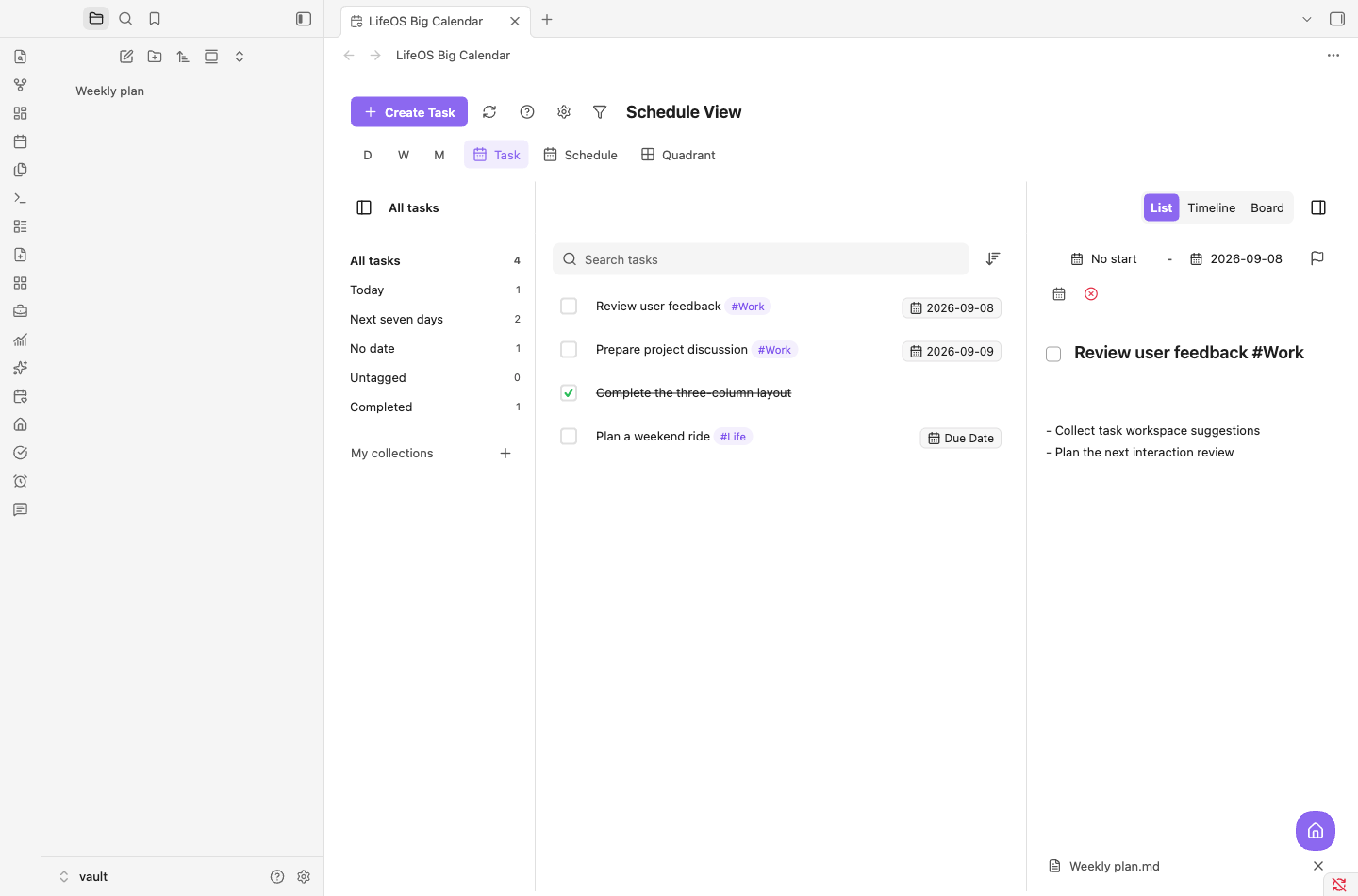
A workspace for the tasks in your notes
Bring tasks from across your notes into one place to search, sort, filter, and edit their details.
- Collections, tasks, and details together
- Switch between list, timeline, and board
- Save notes under the original Markdown task
LifeOS Pro 機能
Pro にアップグレードして、より強力な機能をアンロック
スケジュール管理
大カレンダーでドラッグ&ドロップするだけでタスクの締切を計画。リモートカレンダーの購読にも対応し、すべてのカレンダーデータを一元管理
- ビジュアルカレンダー表示
- ドラッグ&ドロップでタスク計画
- リモートカレンダー双方向同期
- 複数カレンダーの一元管理
- カンバン表示
- タイムライン表示
- ポモドーロタイマー
高度なリスト
検索、並べ替え、フィルターに対応し、散在するファイル、タスク、バレットノートを簡単に見つけられます
- ページネーション:長いリストもラクラク閲覧
- 並べ替え:日付やステータスでソート
- 検索:テキストと日付をワンクリックで検索
- フィルター:目的のコンテンツをピンポイントで特定
ホームビュー
システムへのインプット、プロジェクト、タスク、アウトプットを一目で把握
- ワークフロー:インプットから成果物まで、効率的なクローズドループを実現するワンストッププロジェクト管理
- 習慣統計:習慣の形成サイクルを科学的に把握
- フラッシュローミング:過去のノートを活性化してクリエイティビティを刺激
DeepAsk AI 機能
LifeOS Pro のために設計された AI Q&A プラグイン
AI 強化
ノートの内容とリアルタイムで対話し、すばやくインサイトと回答を得られます
- マルチモデル対応:ニーズに合わせて最適なモデルを選択
- リアルタイムコンテンツ対話:ノートの内容とリアルタイムで会話
- Chrome 拡張機能:ブラウザ拡張機能とのシームレスな連携
- タグ連携:インテリジェントなタグシステム
料金プラン
Try the core workflow first. Upgrade to LifeOS Pro for a dedicated task and calendar workspace.
LifeOS Pro
完全版 - すべての機能
💰 永久買い切り 🔄 永久アップデート 👥 5台まで
- All Basic features
- Tasks and calendar planning (no separate Calendar Pro purchase needed)
- Advanced list - Search, sort, filter
- Workflow, habit statistics, flash roaming
- Advanced theme lists and time-spent statistics
- Portable features - 6+ practical features
Put your Obsidian plans into action
LifeOS Pro includes tasks and calendar planning. Add DeepAsk separately when you need AI.
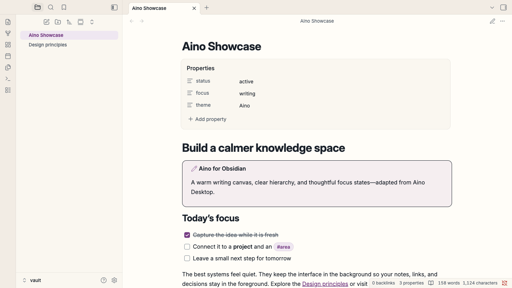
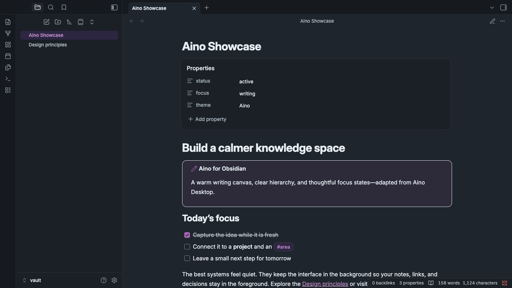
Aino: a warmer, more focused Obsidian
A warm writing canvas, cool slate text, and soft purple accents create a calm knowledge workspace while keeping Obsidian familiar.
- Complete light and dark modes
- Polished editor, tags, properties, tables, Canvas, and graph views
- Local CSS only, with no external fonts, images, or network requests
コミュニティに参加
他のユーザーと交流し、サポートを受けましょう
プライバシー利用規約サポート: [email protected]
© 2026 LifeOS. All rights reserved.