LifeOS Pro
把笔记里的任务,安排进每一天
在 Obsidian 里集中处理任务、拖到日历上排期,再用项目和回顾跟进进展。继续使用你的 Markdown 笔记,不必换一个工作区。
一次买断 · 终身更新 · 授权 5 台设备。任务、日历和项目管理无需购买 AI 插件。


Obsidian LifeOS Pro
跟着视频,一步一步上手
从安装和激活开始,学习记录、任务、项目、复盘与 AI 实操。当前合集包含 00–29、32–35 章;Google 日历和手机同步两章后续补充,英文配音版尚未上线。
Video Demo
LifeOS Pro Feature Demo
LifeOS Basic Features
Basic provides complete core features
Ready to Use
Download the example repository, no complicated configuration required, get started immediately
Stress-free Recording
Record bullet notes in your diary without pressure, and use usememos for quick mobile recording
Quick Retrieval
Powerful indexing function to quickly retrieve files, tasks, and bullet notes scattered everywhere
Periodic Notes
Easily implement task management, goal management, and time management with periodic notes
Knowledge Management
Provides the best PARA practice in Obsidian, committed to becoming your second brain
Dedicated Plugin
Visually create PARA notes and periodic notes, convenient and fast
Obsidian LifeOS Pro · 新版任务视图
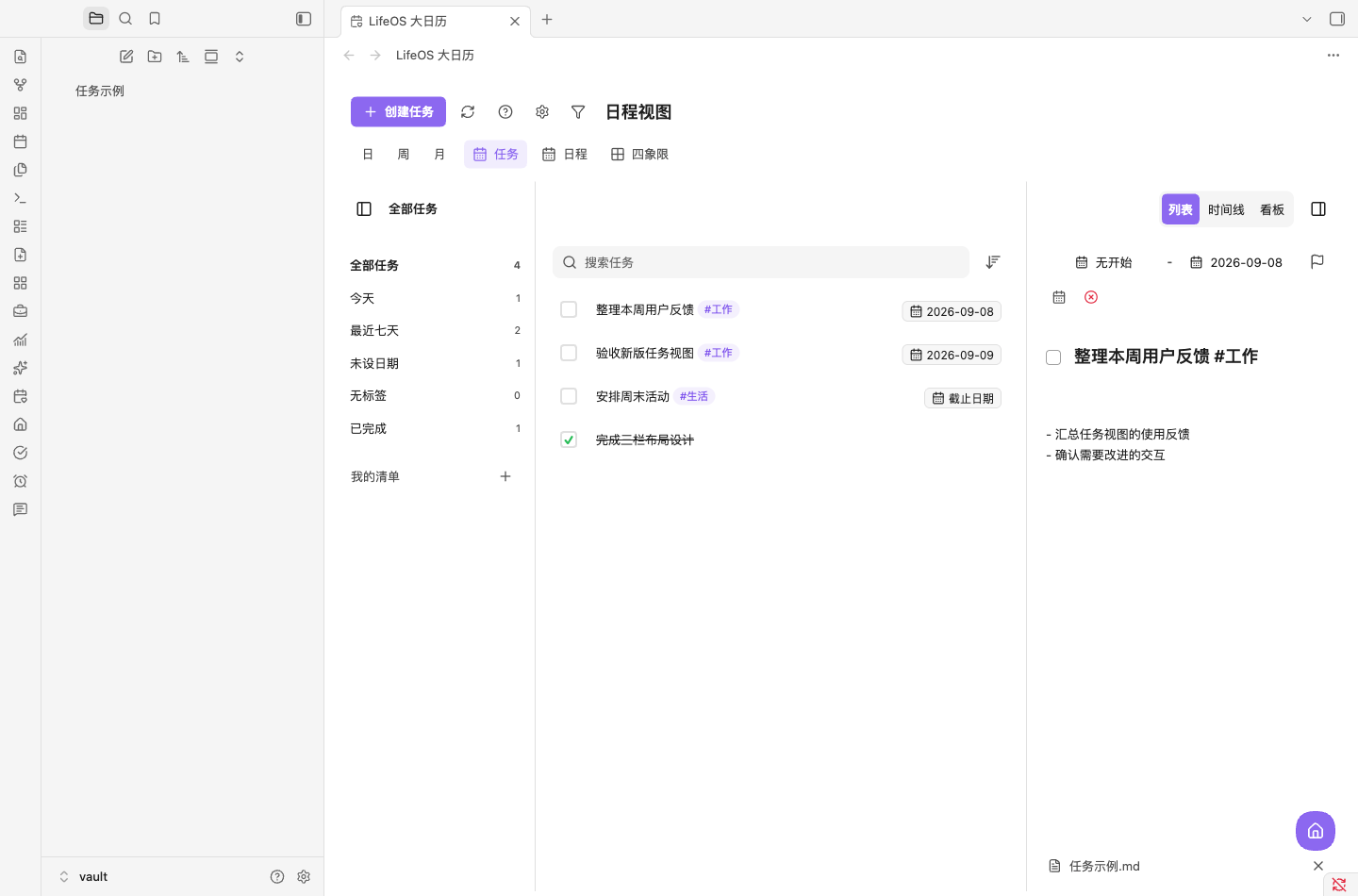
笔记里的待办,有了自己的工作台
把散落在笔记里的任务集中处理。查找、排序、筛选和补充细节,都在同一个工作区完成。
- 清单、任务、详情,三栏一起看
- 列表、时间线、看板,按需切换
- 备注写回原 Markdown 任务
LifeOS Pro Features
Upgrade to Pro, unlock more powerful features
Schedule Planning
Simply drag and drop on the big calendar to plan the deadline for each task, support subscribing to remote calendars, and centrally manage all your calendar data
- Visual calendar view
- Drag-and-drop task planning
- Remote calendar two-way sync
- Multi-calendar centralized management
- Kanban view
- Timeline view
- Pomodoro timer
Advanced List
Support search, sort, and filter to easily find files, tasks, and bullet notes scattered everywhere
- Pagination: easily browse long lists
- Sorting: sort by date and status
- Search: one-click text and date search
- Filter: precisely locate target content
Home View
Get a clear view of system input, projects, tasks, and output
- Workflow: one-stop project management, forming an efficient closed loop from input to delivery
- Habit statistics: scientifically understand your habit formation cycle
- Flash roaming: revitalize your historical notes and inspire creativity
DeepAsk AI Features
AI Q&A plugin tailored for LifeOS Pro
AI Enhancement
Have real-time conversations with your note content, quickly gain insights and answers
- OpenAI-compatible and Anthropic SDK support
- Streaming chat with a visible preparing-reply placeholder
- Supports Codex CLI and Claude Code CLI
- Tag integration: intelligent tag system
Pricing Plans
先体验基础工作流;需要集中处理任务和日程时,升级 LifeOS Pro。
LifeOS Pro
Complete version - All features
💰 Lifetime purchase 🔄 Lifetime updates 👥 5 devices
Get NowLifeOS Community
Basic - Core features
让 Obsidian 里的计划更容易执行
LifeOS Pro 已包含任务和日历功能。需要 AI 时,再单独选择 DeepAsk。
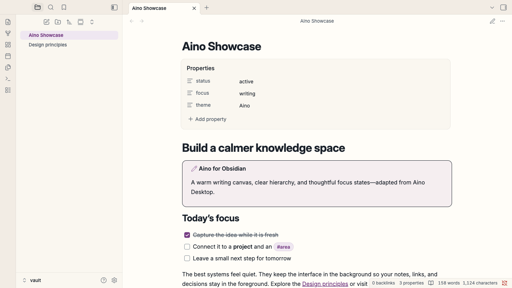
Aino:让 Obsidian 更温暖、更专注
暖米白书写区、灰蓝文字和柔和紫色强调,在保留 Obsidian 熟悉交互的同时,带来清晰、安静的知识工作空间。
- 完整支持亮色与暗色模式
- 细致适配编辑器、标签、属性、表格、Canvas 与图谱
- 纯本地 CSS,无外部字体、图片或网络依赖
Join the Community
Communicate with other users and get help
Privacy PolicyTerms of ServiceSupport: [email protected]
© 2026 LifeOS. All rights reserved.