LifeOS Pro
Turn your Obsidian notes into a daily plan
Bring tasks together, schedule them on your calendar, and follow through with projects and reviews. Keep your Markdown notes and your Obsidian workspace.
One-time purchase · Lifetime updates · 5 devices. Tasks, calendar, and projects work without an AI add-on.


Obsidian LifeOS Pro
Learn by following real actions
Start with installation and activation, then practice notes, tasks, projects, reviews, and AI. This Chinese-language collection covers chapters 00–29 and 32–35. Google Calendar and mobile sync will follow; English narration is not available yet.
Video Demo
LifeOS Pro Feature Demo
LifeOS Basic Features
Basic provides complete core features
Ready to Use
Download the example repository, no complicated configuration required, get started immediately
Stress-free Recording
Record bullet notes in your diary without pressure, and use usememos for quick mobile recording
Quick Retrieval
Powerful indexing function to quickly retrieve files, tasks, and bullet notes scattered everywhere
Periodic Notes
Easily implement task management, goal management, and time management with periodic notes
Knowledge Management
Provides the best PARA practice in Obsidian, committed to becoming your second brain
Dedicated Plugin
Visually create PARA notes and periodic notes, convenient and fast
Obsidian LifeOS Pro · New task workspace
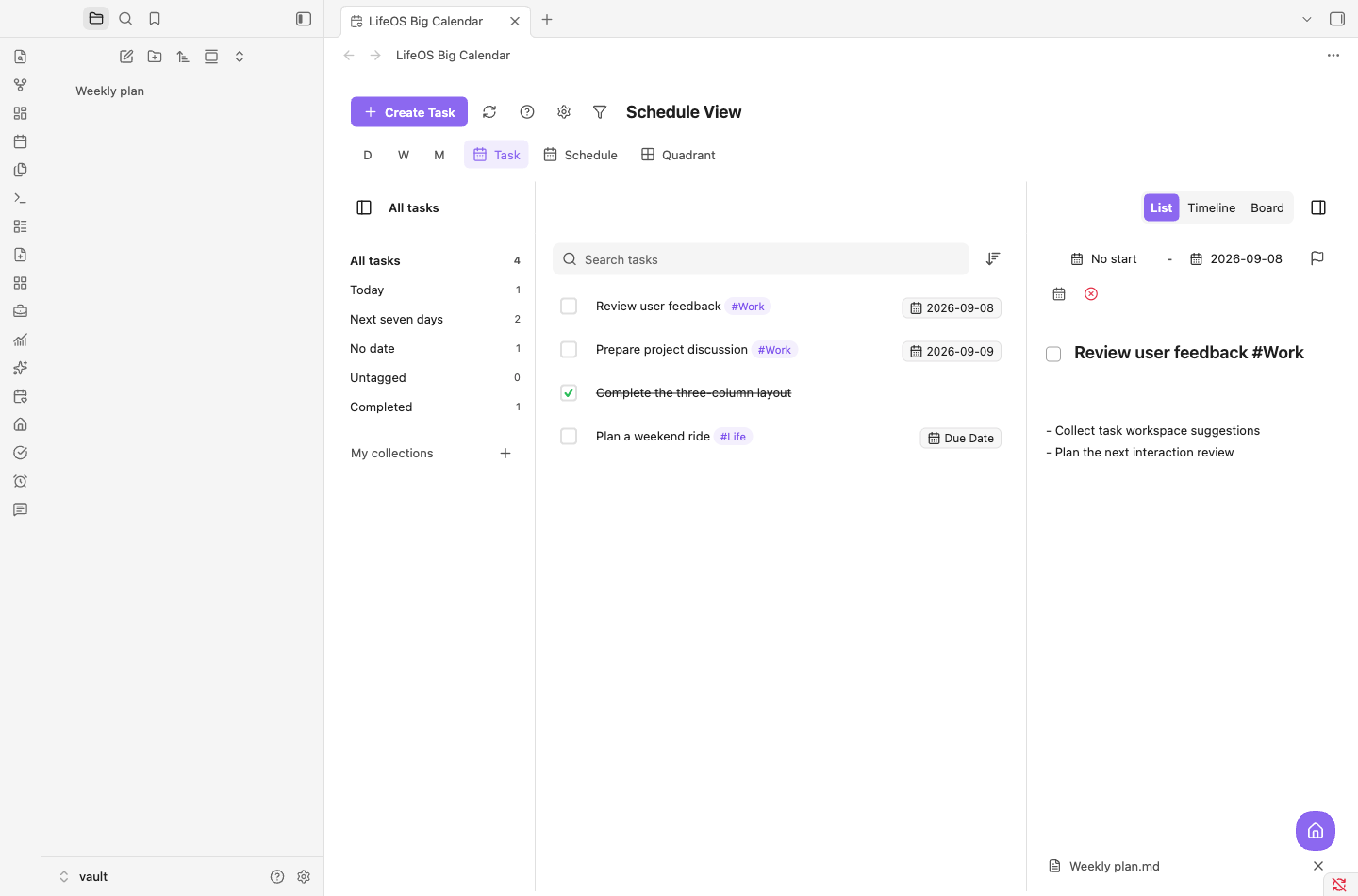
A workspace for the tasks in your notes
Bring tasks from across your notes into one place to search, sort, filter, and edit their details.
- Collections, tasks, and details together
- Switch between list, timeline, and board
- Save notes under the original Markdown task
LifeOS Pro Features
Upgrade to Pro, unlock more powerful features
Schedule Planning
Simply drag and drop on the big calendar to plan the deadline for each task, support subscribing to remote calendars, and centrally manage all your calendar data
- Visual calendar view
- Drag-and-drop task planning
- Remote calendar two-way sync
- Multi-calendar centralized management
- Kanban view
- Timeline view
- Pomodoro timer
Advanced List
Support search, sort, and filter to easily find files, tasks, and bullet notes scattered everywhere
- Pagination: easily browse long lists
- Sorting: sort by date and status
- Search: one-click text and date search
- Filter: precisely locate target content
Home View
Get a clear view of system input, projects, tasks, and output
- Workflow: one-stop project management, forming an efficient closed loop from input to delivery
- Habit statistics: scientifically understand your habit formation cycle
- Flash roaming: revitalize your historical notes and inspire creativity
DeepAsk AI Features
AI Q&A plugin tailored for LifeOS Pro
AI Enhancement
Have real-time conversations with your note content, quickly gain insights and answers
- OpenAI-compatible and Anthropic SDK support
- Streaming chat with a visible preparing-reply placeholder
- Supports Codex CLI and Claude Code CLI
- Tag integration: intelligent tag system
Pricing Plans
Try the core workflow first. Upgrade to LifeOS Pro for a dedicated task and calendar workspace.
LifeOS Pro
Complete version - All features
💰 Lifetime purchase 🔄 Lifetime updates 👥 5 devices
- All Basic features
- Tasks and calendar planning (no separate Calendar Pro purchase needed)
- Advanced list - Search, sort, filter
- Workflow, habit statistics, flash roaming
- Advanced theme lists and time-spent statistics
- Portable features - 6+ practical features
Put your Obsidian plans into action
LifeOS Pro includes tasks and calendar planning. Add DeepAsk separately when you need AI.
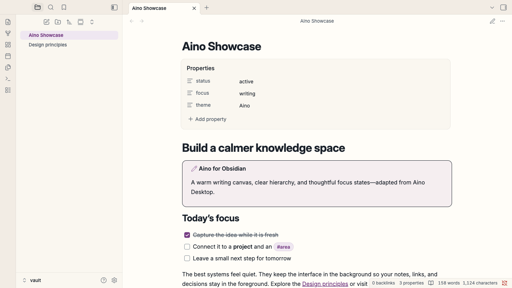
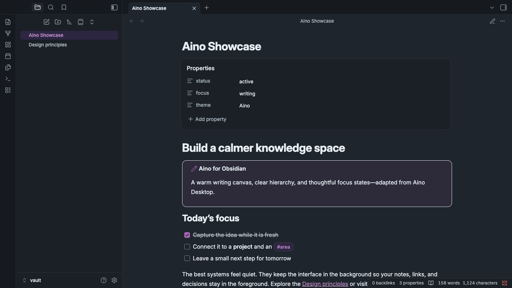
Aino: a warmer, more focused Obsidian
A warm writing canvas, cool slate text, and soft purple accents create a calm knowledge workspace while keeping Obsidian familiar.
- Complete light and dark modes
- Polished editor, tags, properties, tables, Canvas, and graph views
- Local CSS only, with no external fonts, images, or network requests
Join the Community
Communicate with other users and get help
Privacy PolicyTerms of ServiceSupport: [email protected]
© 2026 LifeOS. All rights reserved.